XSolutions IT
  • About ▾
    • About Us
    • Our Process
    • Our Reviews
    • Refer and Earn
  • Solutions ▾
    • Complete Managed IT
    • Co-Managed IT
    • Managed Cybersecurity
    • Backup & Disaster Recovery
    • Cloud Data Protection
  • Industries ▾
    • Law Firms
    • Construction + Trades
    • Distribution + Supply Chain
    • Nonprofits
  • Service Areas▾
    • Rockland County NY
    • Westchester County NY
    • Bergen County NJ
  • Resources ▾
    • Free Resources for Law Firms
    • Free Resources for Construction
    • Free Resources for Distributors
    • Free Resources for Nonprofits
    • Newsletters
    • Blogs
  • Contact
  • 877-807-1332
  • Menu Menu
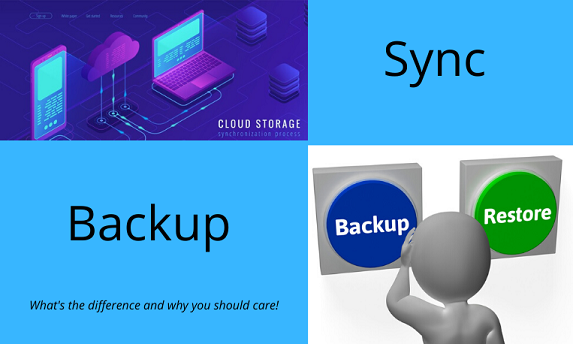
Sync vs Backup

What Is The Difference Between Syncing and Backing Up Files?

July 21, 2020/in Blog/by Joe Imperato, Sr.

This topic can be confusing since the terms “sync” and “backup” are often used to denote the same thing. However, they are two distinct operations. The mass migration to the Cloud makes it essential to understand these terms and their true meaning.

Syncing

When synced, the most recent file version is copied to a destination.  Applications like Dropbox and Office 365 come to mind. This helps people collaborate by being able to access files in the Cloud. It is critical to remember that the most recent file replaces older versions with the same name.

Syncing replicates the current version of files to another location, overwriting existing files. Some services may hold prior copies for short periods. However, for the most part, previous versions are lost.

In the recent mass migration to the Cloud, many people assumed that their data was being backed up. They were wrong. Sadly, many businesses still don’t realize this flaw in their Disaster Plans.

Backups

Backup systems copy files from one location to another at specific points in time. This lets you recover files that were changed or deleted in prior periods. In a ransomware attack, you would be able to recover using a backup prior to the infection. With a system that only syncs files, your data would be lost.

Be careful when selecting a Cloud backup solution. Some Cloud systems only keep prior data for short periods, like 30 to 60 days. Your data would be lost if a file was deleted 60 days ago, and your backups only go back 30 days. At a minimum, you should keep one year’s worth of backups.

Furthermore, your backup strategy should include the data in the Cloud (i.e., Office 365, G Suite, etc.), your servers, workstations, and mobile devices. Most people don’t realize the amount of data they have stored in emails, SharePoint, Teams, etc. Back it all up!

 XSolutions is an Elite Partner of Datto, the world leader in Hybrid-Cloud Business Continuity solutions whose systems protect 460+ Petabytes of data with over 1400+ employees and 9 offices around the globe. Call (845) 362-9675 and let us introduce you to the ultimate defense against data loss—whatever the cause. Backup & Disaster Recovery | Business Continuity | Data Risk Assessment


Tags: backups, Cloud backups, G Suite, Office 365, Sync
Share this entry
  • Share on Facebook
  • Share on X
  • Share on Pinterest
  • Share on LinkedIn
  • Share on Reddit
  • Share by Mail
https://xsolutions.com/wp-content/uploads/2020/07/Sync-vs-Backup.png 344 573 Joe Imperato, Sr. https://xsolutions.com/wp-content/uploads/2023/09/XSol-Logo-header-300x138.png Joe Imperato, Sr.2020-07-21 07:00:002026-10-13 12:07:05What Is The Difference Between Syncing and Backing Up Files?
You might also like
Startled woman at PC COVID-19 Exposes Flaw In DR Plans
Digital Cloud Fight Back Against Cyber-Crooks In The Cloud – And Win
Cybercriminal with ransomeware How To Strengthen Your Company’s Security
Incorporating the cloud into your IT setup 8 Tactics To Improve Security
Busy Business Owner Why “Just Ticking The Boxes” Is A Bad Idea
Challenges 12 Steps To Survive In The New Normal
Sports Betting The [Crooked] House Always Wins
Incorporating the cloud into your IT setup Is Your Office 365 Secure?
Free Checklist

Cybersecurity Checklist

Use this simple checklist to spot common cybersecurity gaps, strengthen your defenses, and start better conversations about protecting your business.

Recent Posts

  • 10 Hidden Technology Problems Costing Your Law Firm Billable Hours
  • Secure File Sharing for Law Firms | Managed IT Support
  • Managed IT Services & Cybersecurity for Law Firms in Rockland County, NY
  • 10 Keyboard Shortcuts Everyone Should Know
  • Why Summer Is a Risky Season for Business Cybersecurity
XSolutions Trademarked LOGO

XSolutions is a managed IT services and cybersecurity company based in New City, NY. Since 1999, we have helped businesses across Rockland County, Bergen County, Westchester County, Orange County, Northern New Jersey, and the greater NY/NJ/CT region reduce risk, improve reliability, and gain clarity over their technology. We specialize in proactive managed IT, cybersecurity, Microsoft 365, cloud, backup and disaster recovery, and strategic IT guidance for organizations with 15 or more computers.

Service Areas

    • Managed IT Nanuet, NY

    • Managed IT New City, NY

    • Managed IT Suffern, NY

    • Managed IT Rockland County

    • Managed IT Orange County

    • Managed IT Westchester County

    • Managed IT Putnam County

    • Managed IT Mahwah, NJ

    • Managed IT Ramsey, NJ

    • Managed IT Bergen County

    • Managed IT Essex County

    • Managed IT Passaic County

    • Managed IT Hudson County

Contact Us

20 Squadron Blvd., STE 320
New City, NY 10956
Sales: 877-807-1332
Support: 845-362-9675

Facebook  LinkedIn Twitter (X) YouTube


XSolutions® Consulting Services, LLC All rights reserved © 2026 | Privacy Policy | Sitemap
Link to: Is a System Image the Same as a Backup? Link to: Is a System Image the Same as a Backup? Is a System Image the Same as a Backup?Back Up And Restore Keys For Data Security Link to: The Ultimate 70 Point Disaster Preparation Guide Link to: The Ultimate 70 Point Disaster Preparation Guide 70 Point Disaster Preparation Guide CoverThe Ultimate 70 Point Disaster Preparation Guide
Scroll to top Scroll to top Scroll to top
XSolutions IT
This website uses cookies
To provide the best experiences, we use technologies like cookies to store and/or access device information. Consenting to these technologies will allow us to process data such as browsing behavior or unique IDs on this site. Not consenting or withdrawing consent, may adversely affect certain features and functions.
Functional Always active
The technical storage or access is strictly necessary for the legitimate purpose of enabling the use of a specific service explicitly requested by the subscriber or user, or for the sole purpose of carrying out the transmission of a communication over an electronic communications network.
Preferences
The technical storage or access is necessary for the legitimate purpose of storing preferences that are not requested by the subscriber or user.
Statistics
The technical storage or access that is used exclusively for statistical purposes. The technical storage or access that is used exclusively for anonymous statistical purposes. Without a subpoena, voluntary compliance on the part of your Internet Service Provider, or additional records from a third party, information stored or retrieved for this purpose alone cannot usually be used to identify you.
Marketing
The technical storage or access is required to create user profiles to send advertising, or to track the user on a website or across several websites for similar marketing purposes.
  • Manage options
  • Manage services
  • Manage {vendor_count} vendors
  • Read more about these purposes
View preferences
  • {title}
  • {title}
  • {title}
XSolutions IT
This website uses cookies
To provide the best experiences, we use technologies like cookies to store and/or access device information. Consenting to these technologies will allow us to process data such as browsing behavior or unique IDs on this site. Not consenting or withdrawing consent, may adversely affect certain features and functions.
Functional Always active
The technical storage or access is strictly necessary for the legitimate purpose of enabling the use of a specific service explicitly requested by the subscriber or user, or for the sole purpose of carrying out the transmission of a communication over an electronic communications network.
Preferences
The technical storage or access is necessary for the legitimate purpose of storing preferences that are not requested by the subscriber or user.
Statistics
The technical storage or access that is used exclusively for statistical purposes. The technical storage or access that is used exclusively for anonymous statistical purposes. Without a subpoena, voluntary compliance on the part of your Internet Service Provider, or additional records from a third party, information stored or retrieved for this purpose alone cannot usually be used to identify you.
Marketing
The technical storage or access is required to create user profiles to send advertising, or to track the user on a website or across several websites for similar marketing purposes.
  • Manage options
  • Manage services
  • Manage {vendor_count} vendors
  • Read more about these purposes
View preferences
  • {title}
  • {title}
  • {title}